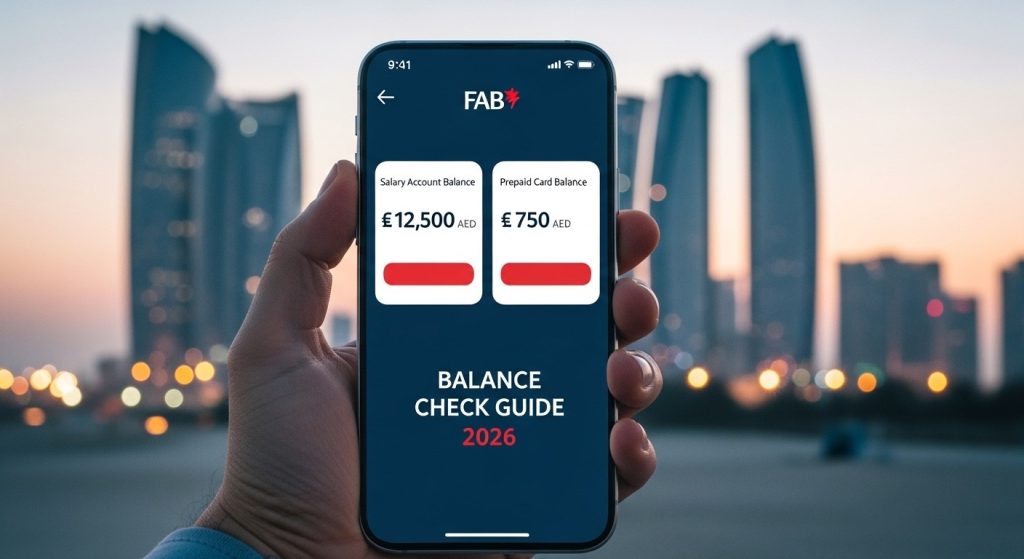
Two types of FAB cards need balance checks. Salary cards. Prepaid cards. Salary cards show wages and spending. Prepaid cards show how much money remains on the card. Each has different checking methods.
For a quick fab balance check, knowing which card type matters. This guide covers both. Step by step. No confusion.
What Is a FAB Salary Card?
A salary card is issued by the employer. Wages are deposited directly into the card account. The card functions like a regular debit card. It is linked to a current account. The account stays active as long as employment continues.
Salary cards can be used anywhere that accepts FAB debit cards. Online purchases. In-store payments. ATM withdrawals. Cash deposits. The balance reflects the employee’s available wages.
What Is a FAB Prepaid Card?
A prepaid card is loaded with funds before use. No bank account is linked to it. No credit check is required. The card only spends what has been loaded.
Prepaid cards are popular for three purposes. Travel. Users load foreign currency before a trip. Gifting. Parents load funds for children. Budgeting. Users load a fixed amount to control spending.
Prepaid cards cannot be overdrawn. Once the loaded funds run out, the card stops working until more money is added.
How to Check Salary Card Balance
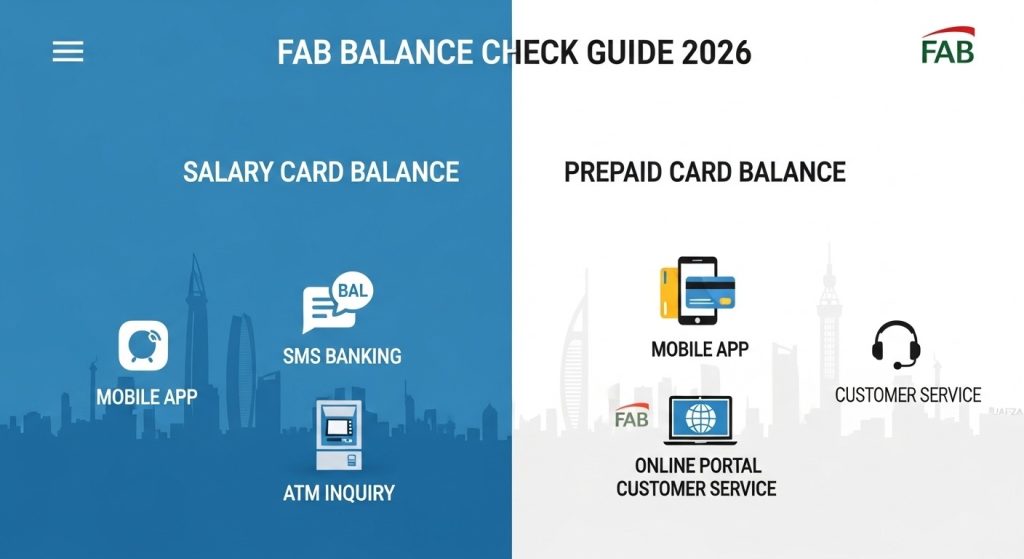
Three methods work for salary cards. The mobile app is the fastest. SMS works without the internet. ATMs work for cash withdrawals and balance checks.
Method 1: FAB Mobile App
Download the FAB app from the Apple App Store or Google Play Store. Search “First Abu Dhabi Bank.” Look for the official blue logo.
Open the app. Use fingerprint or face ID to log in. The dashboard loads. The primary account balance appears at the top. That is the salary card balance.
Tap the account to see transaction history. Recent wages. Purchases. Withdrawals. All appear in a list.
Enable the home screen widget. The balance shows up without opening the app. Turn on push notifications. The phone shows the new balance after salary deposit day.
Method 2: SMS Balance Check
The internet is not always available. SMS banking solves this.
Open the phone’s messaging app. Type BAL. Send to 2828. Within 5 to 10 seconds, a reply arrives. The message shows the available balance on the salary card.
Some replies also show the last transaction amount and date. FAB charges no fee for SMS inquiries. Mobile carriers may charge standard SMS rates.
Method 3: ATM Balance Inquiry
Insert the salary card into any FAB ATM. Enter the 4-digit PIN. Select “Balance Inquiry” from the menu. The screen shows the available balance.
Two options appear. Print a receipt or return to the main menu. ATMs work when the phone battery is dead or the internet is down.
How to Check Prepaid Card Balance
Prepaid cards use different checking methods. The mobile app still works. An online portal also works. Customer service is another option.
Method 1: FAB Mobile App
Open the FAB mobile app. Log in with fingerprint or face ID. Swipe left or right on the dashboard. The prepaid card appears as a separate card.
Tap the prepaid card. The loaded balance shows at the top. Transaction history appears below. Each transaction shows the date, merchant, and amount.
Method 2: Online Portal
FAB provides a dedicated prepaid card portal. Open a browser. Go to the FAB prepaid card website. Find the link on the main FAB website.
Enter the prepaid card number. Enter the CVV from the back of the card. Enter the expiry date. Click search.
The balance appears instantly. The transaction history also shows. No login required. No app needed.
Method 3: Customer Service
Call FAB customer service. The number is on the back of the prepaid card. Follow the automated menu. Select “Prepaid Card Services.”
Enter the card number when prompted. The automated system reads the available balance. Alternatively, speak to an agent. Provide the card number for verification.
Key Differences Between Salary and Prepaid Cards
| Feature | Salary Card | Prepaid Card |
| Linked to a bank account | Yes | No |
| Requires employment | Yes | No |
| Can be overdrawn | No | No |
| Salary deposit | Yes | No |
| Reloadable | Automatically | Manually |
| Balance check via SMS | Yes | No |
| Balance check via portal | No | Yes |
Salary cards are for regular income. Prepaid cards are for controlled spending.
Troubleshooting Balance Issues
The salary card shows the wrong balance:
Pending transactions may not appear immediately. Wait 24 hours. Refresh the mobile app. Pull down on the dashboard screen. Log out and log back in.
Prepaid card balance shows zero, but money was loaded
Reloads can take 24 to 48 hours to process. Check with the reload source. Contact FAB prepaid support if the issue continues.
SMS balance check is not working for the salary card
Confirm the keyword is BAL. Confirm the shortcode is 2828. Ensure the mobile number is registered with FAB.
Prepaid card declined despite showing a balance
Some merchants place a hold on funds. Hotels and fuel stations do this. The hold reduces the available balance temporarily. Wait 24 to 72 hours for the hold to release.
The mobile app does not show the prepaid card
Swipe left or right on the dashboard. The prepaid card appears as a separate card. If not visible, link the card in app settings.
Frequently Asked Questions
Q1: Can a salary card balance be checked without the internet?
Yes. Send BAL to 2828 via SMS. No internet required.
Q2: How long after a salary deposit does the balance update?
Usually instantly. Some transfers take 24 hours, depending on the employer.
Q3: Can a prepaid card balance be checked at an ATM?
No. Prepaid cards do not work at ATMs for balance inquiries. Use the mobile app or online portal.
Q4: Is there a fee for checking prepaid card balances online?
No. The online portal and mobile app are free.
Q5: What happens if a prepaid card balance reaches zero?
The card stops working. Reload funds through the app or at a FAB branch.
Conclusion
Two types of FAB cards need balance checks. Salary cards. Prepaid cards. Each has its own checking methods. For salary cards, three methods work. Mobile app for speed. SMS for no internet. ATMs for cash access.
For prepaid cards, three methods work. Mobile app for convenience. Online portal for quick checks. Customer service for phone support. Knowing which card type is in hand saves time. Use the right method. Check the balance. Stay in control.
For a fast and reliable fab balance check, the FAB mobile app works for both card types. Download it. Set up fingerprint login. The balance is always ready.